
Exacq: Solving security configuration challenges to boost
user satisfaction by 54%
CONTEXT
About the product
This case study is about Exacq (aka ExacqVision), a product by Johnson Controls with 1M+ users used for video surveillance management. Exacqs' config module (which I redesigned) enables security integrators to add and manage cameras and their recording servers.
My work
I led the end-to-end redesign of Exacq with a focus on improving the configuration experience for users. The redesign significantly streamlined complex workflows, making it faster and easier for integrators to set up and manage their video surveillance environments.
INFO
Role
UX/Product Designer
Responsibilities
Product strategy, Market Research, Interaction Design, Visual Design, UX Workshops, Usability Testing
Duration
9 Months (Aug'23 - Apr'24)
Team
Product designer (me), Product Manager, Developers, Eng. Manager
PROBLEM OVERVIEW
Security Integrators found it hard to configure cameras and servers
Buildup of hidden usability issues since launch in 2013
Poor UX and Outdated UI, the critical problems as per market reports & PRD
Negative business impact as customer satisfaction ratings decline
RESULT
Outcomes at a glance
54%
increase in user satisfaction
2.7x
faster workflows for users
76
Usability Score (A - rating)
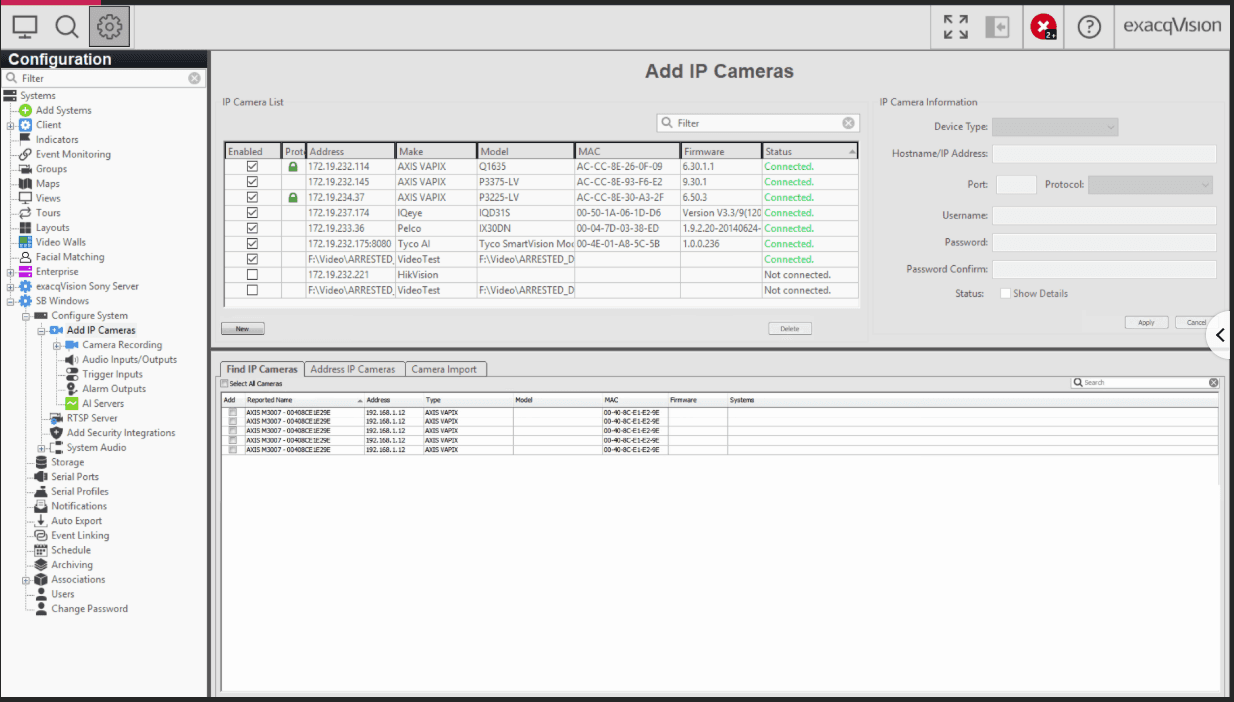
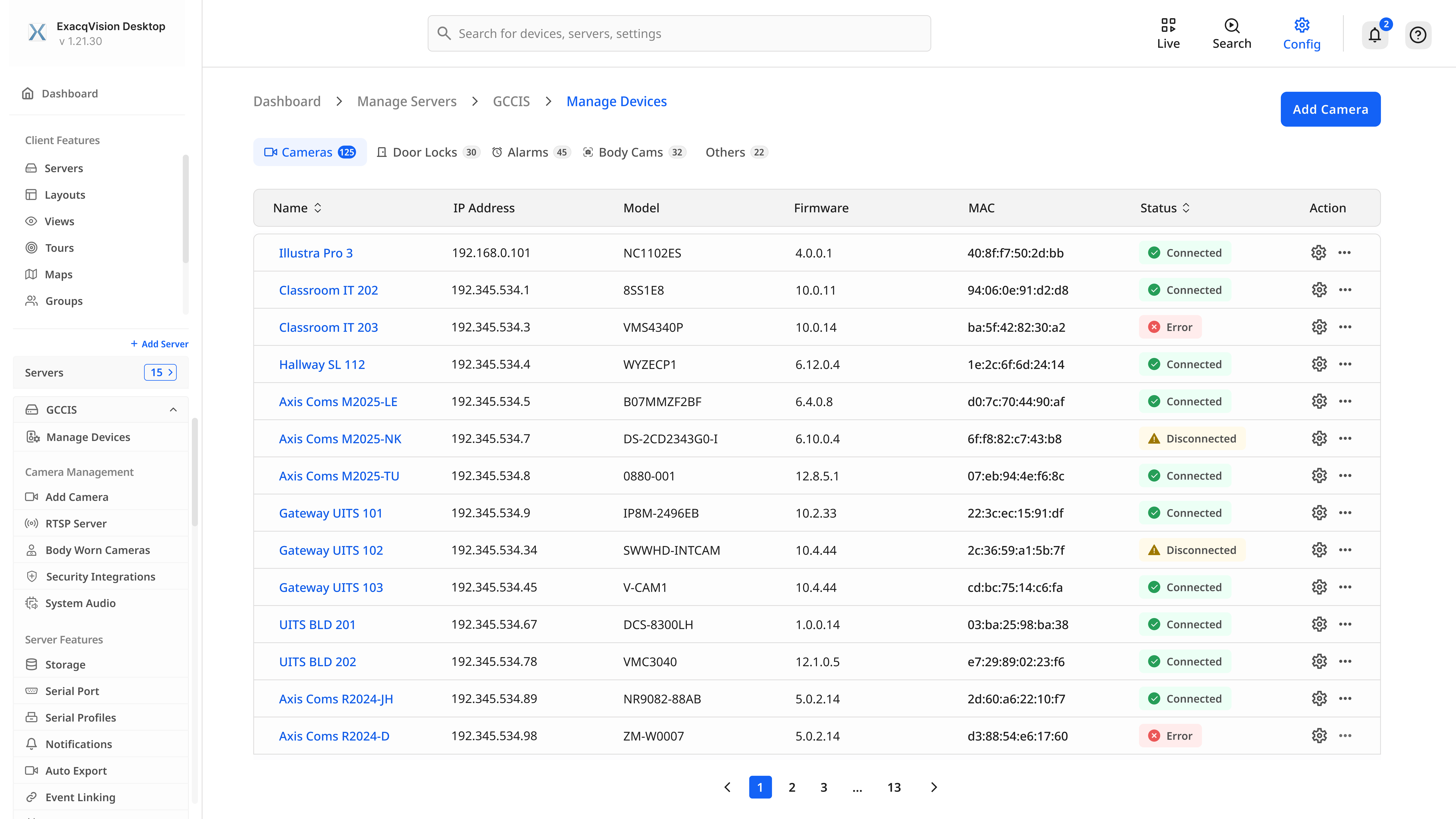
Before
After
Example comparison of the Add Camera Tab
Here's how my design process helped solve problems with Exacq↓
PROCESS
The fast-paced environment at Johnson Controls required a structured yet adaptable process. I prioritized open communication and feedback loops, holding regular design critiques to ensure that everyone remained aligned on product goals.
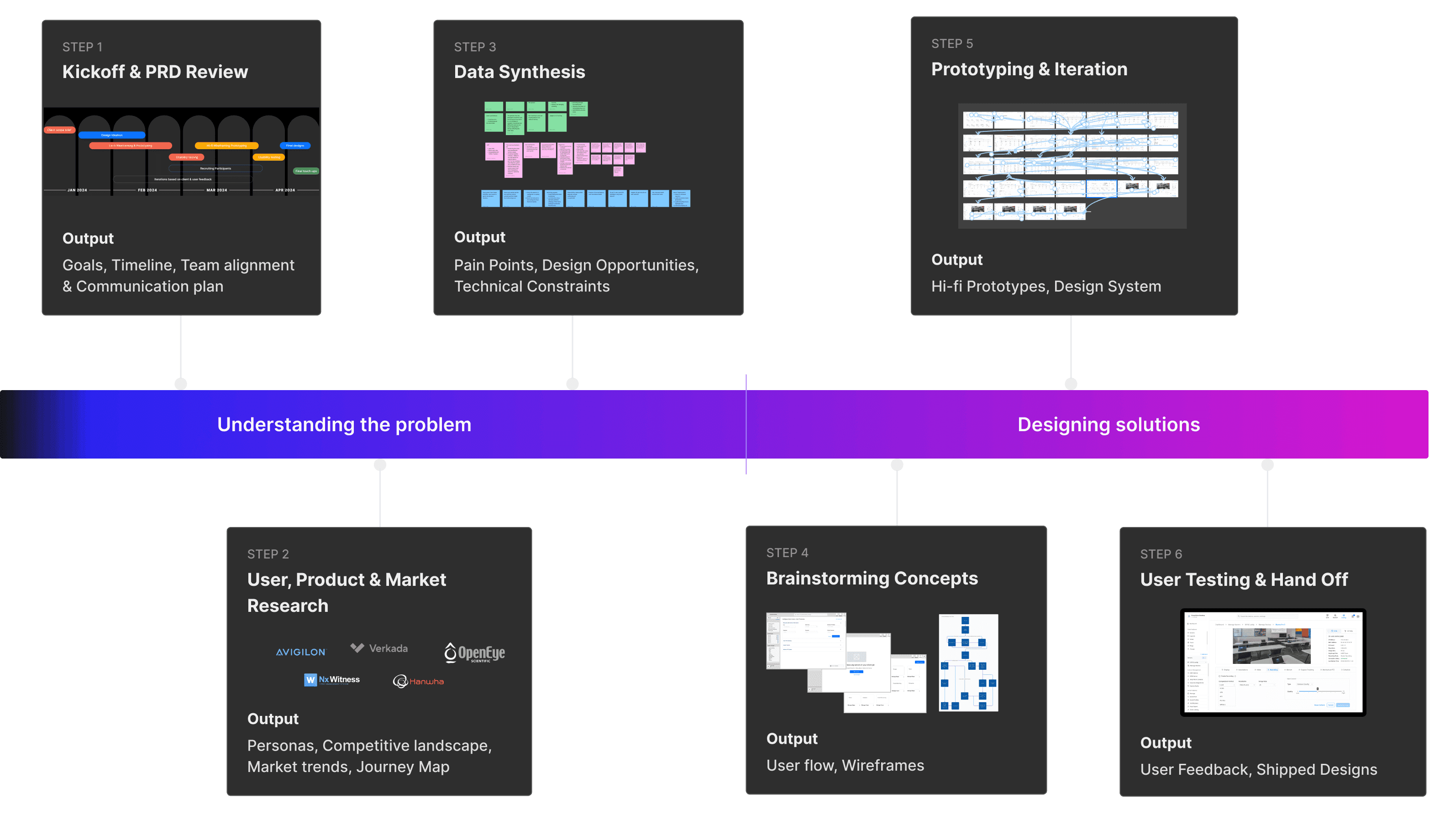
PRODUCT, MARKET & USER RESEARCH
Project kicked off by analysing Exacq's low market fit and identifying user pain points. This involved conducting 5+ interviews, field visits, competitive analysis, and a thorough UX audit revealing 3 key problems...
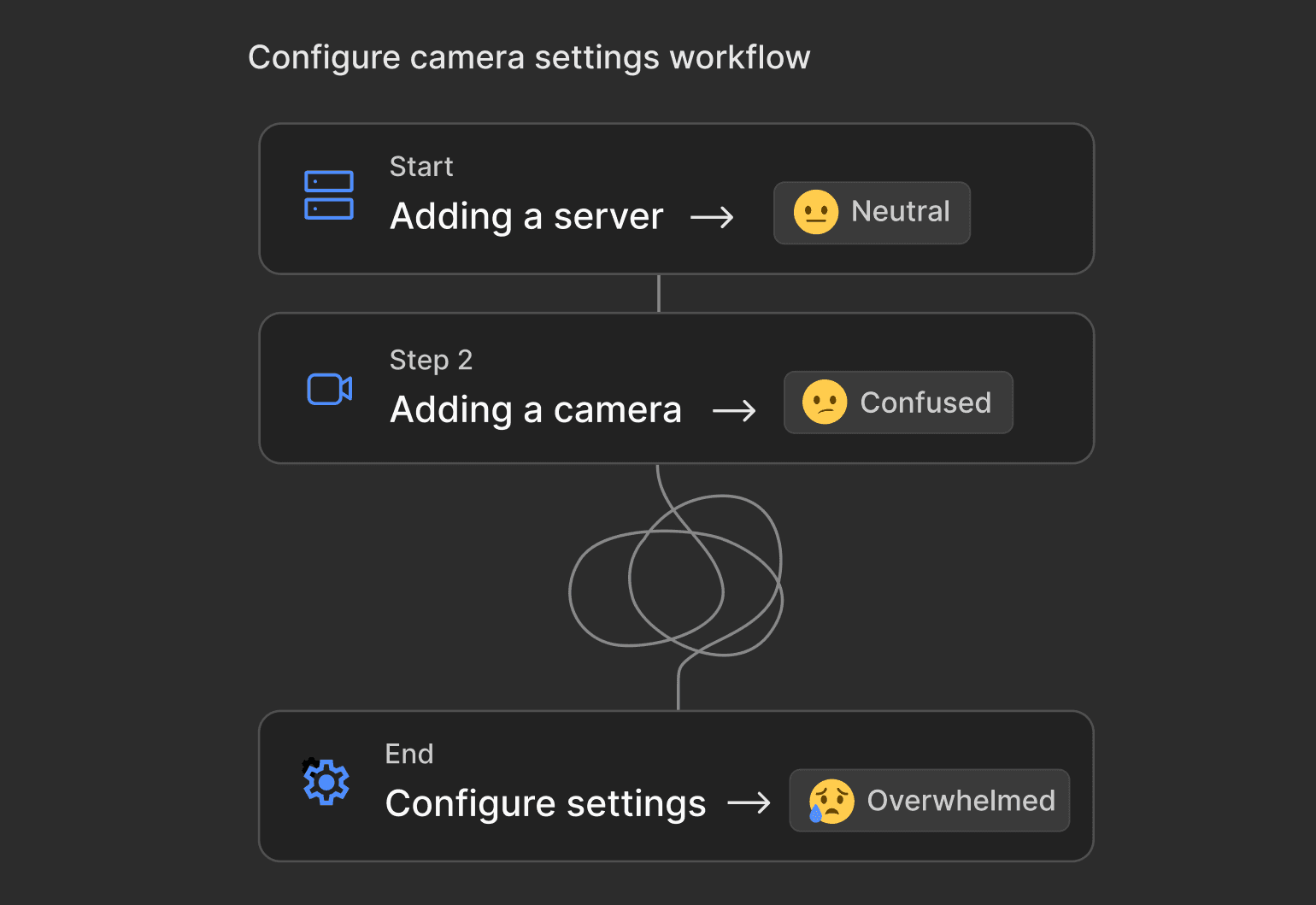
Lengthy workflows to configure devices
UX audit revealed an abundance of unnecessary steps which resulted in decreased productivity for the user
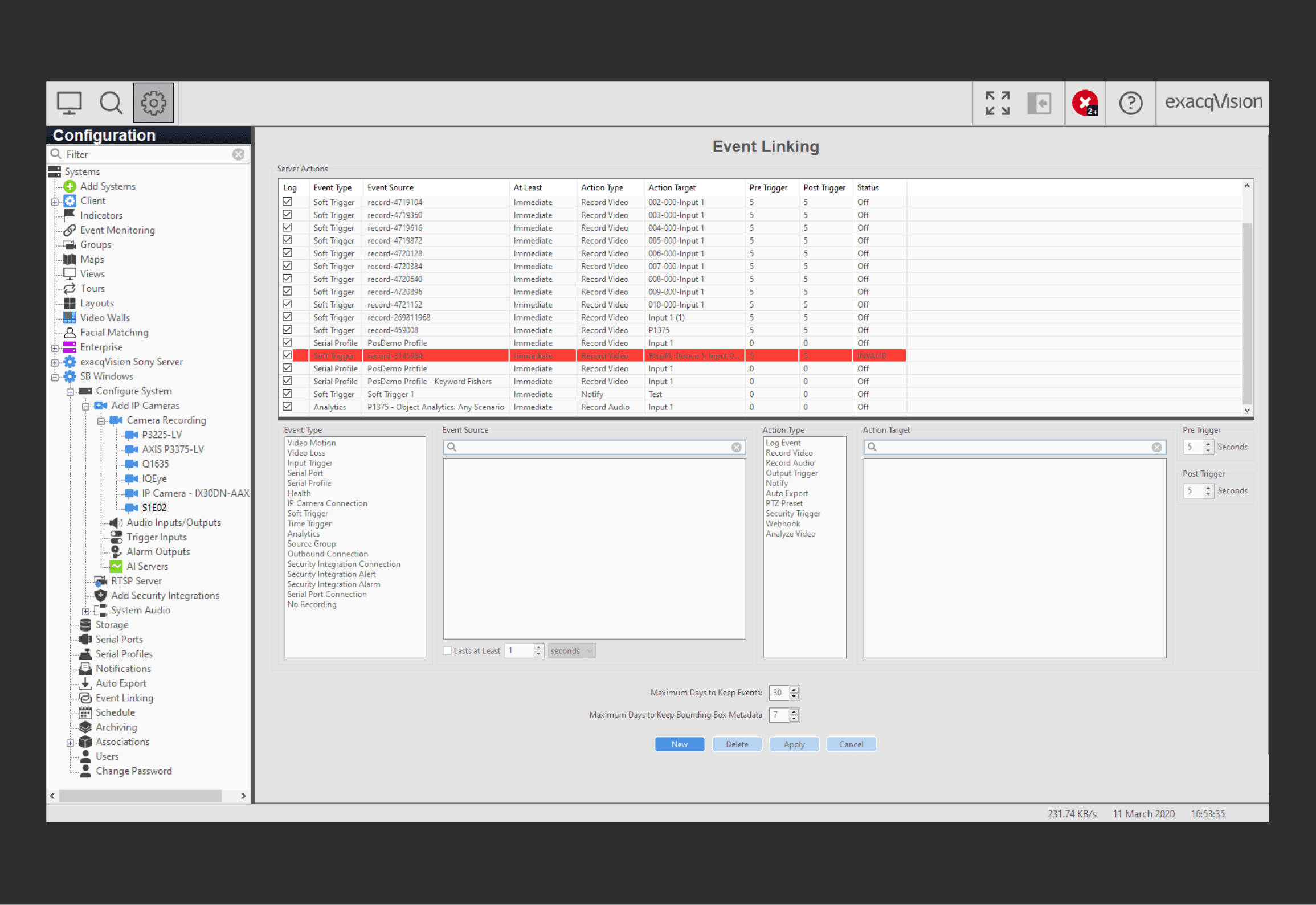
Hard to find relevant features/information
During interviews, integrators told they found it hard to find relevant features due to information overload
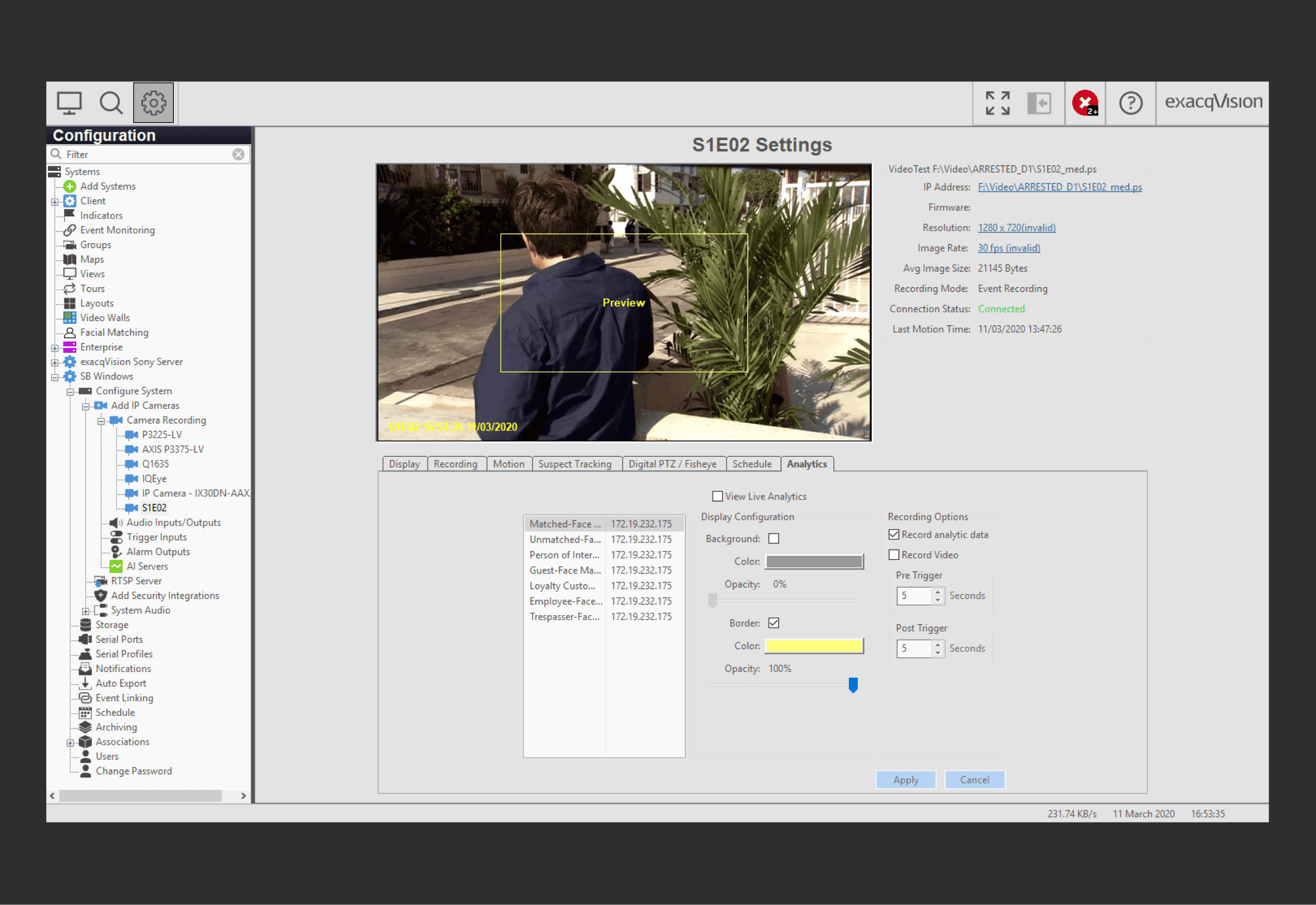
Outdated UI compared to competitors
Upon competitive analysis, I found the major weakness of Exacq to be its outdated UI last designed in 2013
DESIGN GOAL
I facilitated collaborative brainstorming sessions with my team to map out journey maps and translate key problems into 3 opportunities to solve during the redesign
How can we make Exacq fast, relevant, and modern?
Lengthy 🠒 Fast
The redesign should have faster and streamlined workflows, improving system efficiency
Cluttered 🠒 Relevant
The redesign should make key features and information easier to find using an intuitive layout, improving user focus
Outdated 🠒 Modern
The redesign should be visually refreshing and use modern design trends boosting overall product appeal
EXPLORATIONS
DESIGN
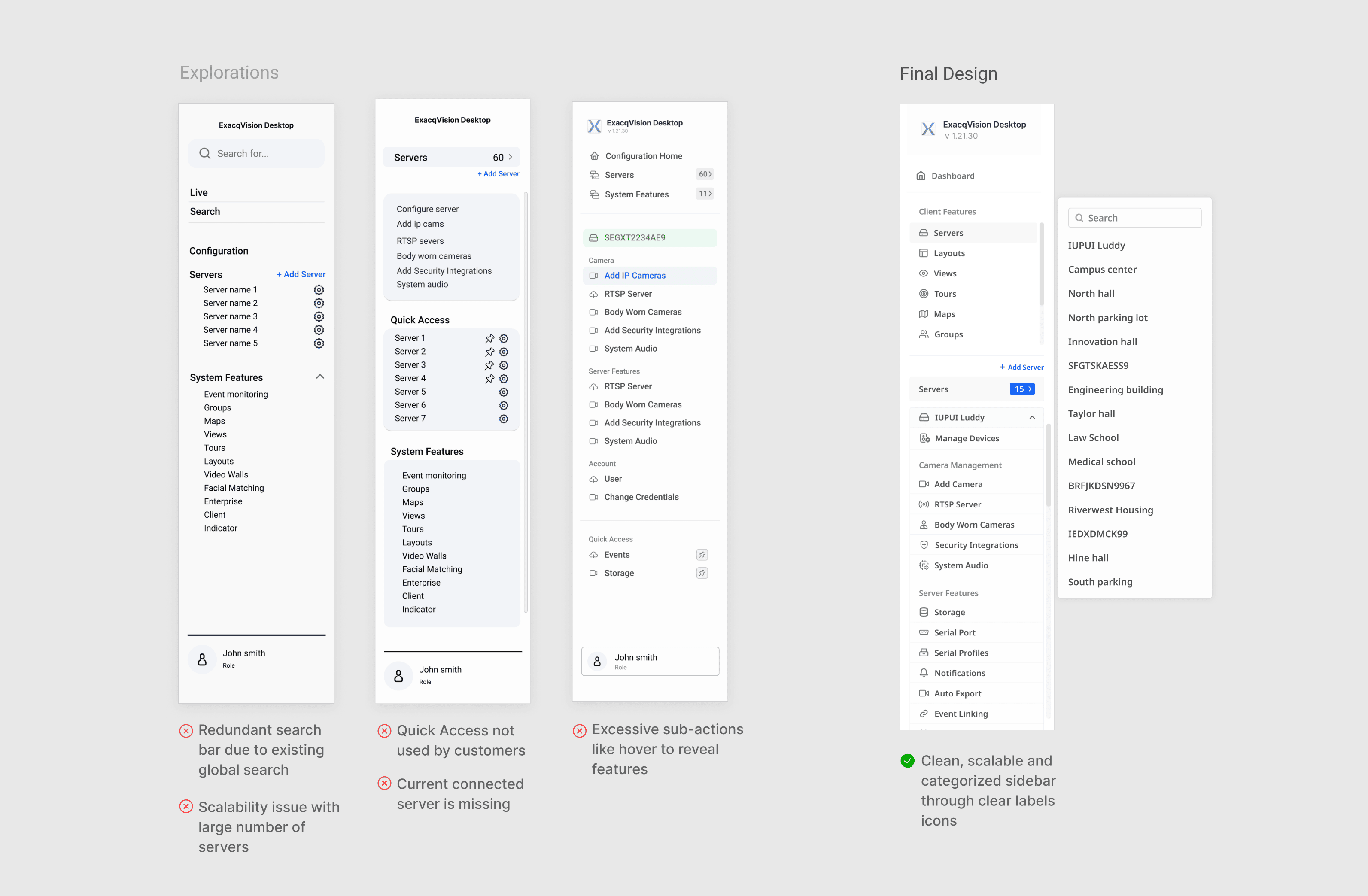
Optimized Sidebar
The sidebar, a core navigation element in Exacq configuration workflow, underwent significant refinement through iterative design. Collaborating with the team, I brainstormed and prototyped various sidebar structures, removing redundant features, categoring features and make it scalable.
GRANULAR DESIGN DECISION #1: DASHBOARD
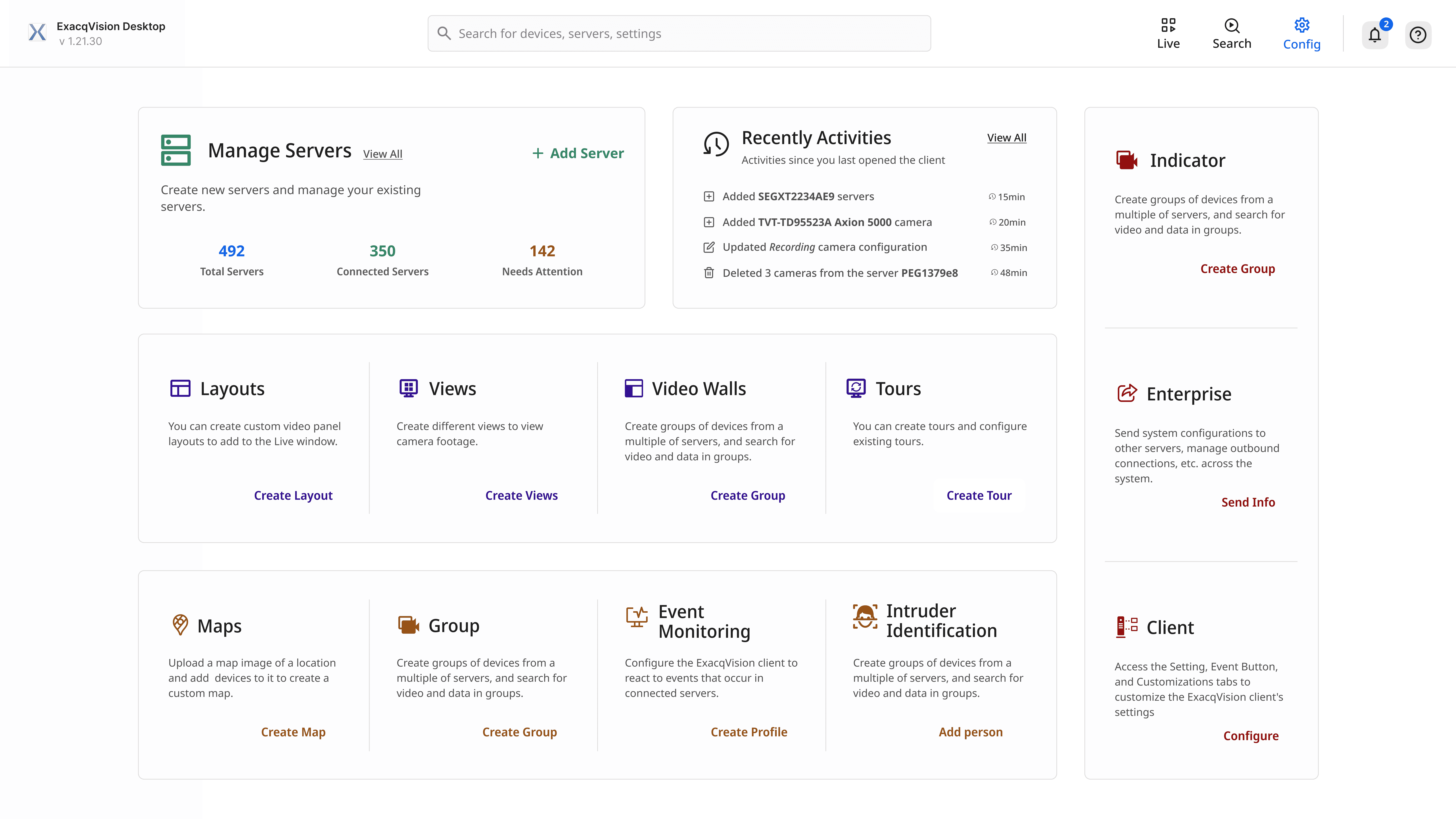
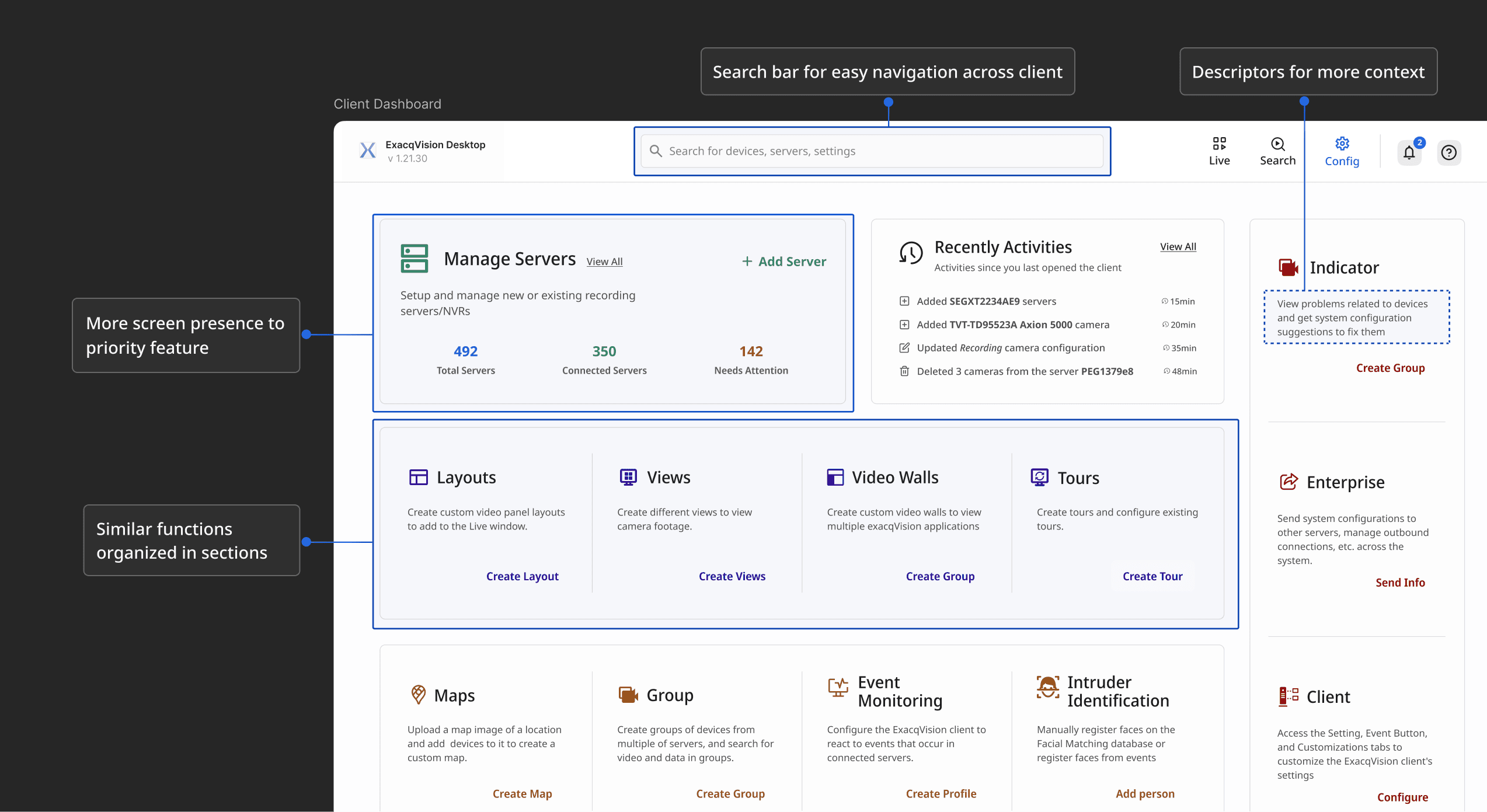
Design started with the dashboard. Exacq's lack of a centralized hub forced users into frustratingly long workflows. I collaborated with PMs and Devs to create an optimized user flow with single point of access for all client features, result of which was the client dashboard.
GRANULAR DESIGN DECISION #2: DATA VISUALIZATIONS
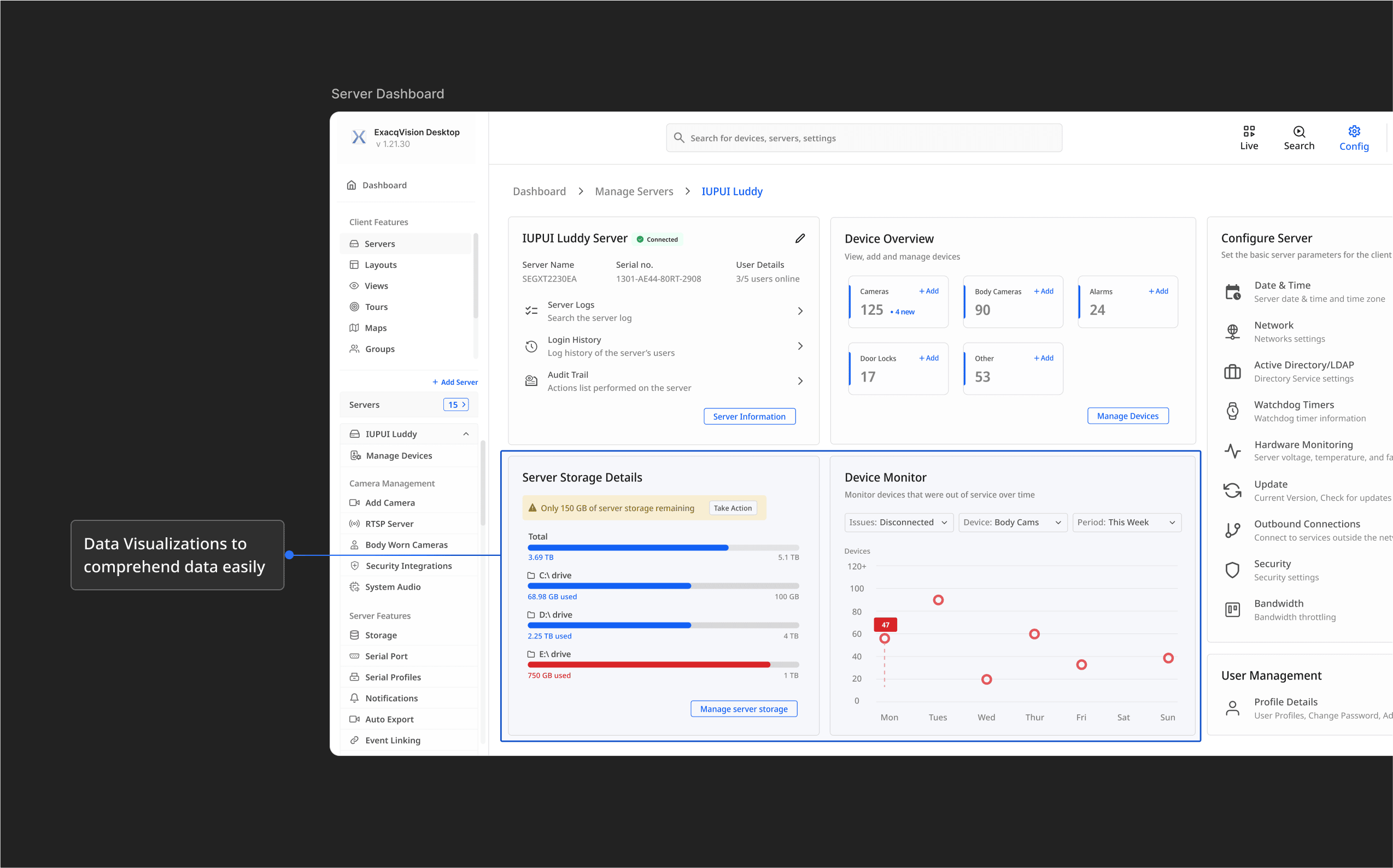
To combat information overload of complex storage and monitoring data, I redesigned these raw data components into interactive data visualizations, allowing users to easily identify storage and device issues.
GRANULAR DESIGN DECISION #3: VISUAL DESIGN IMPROVEMENT
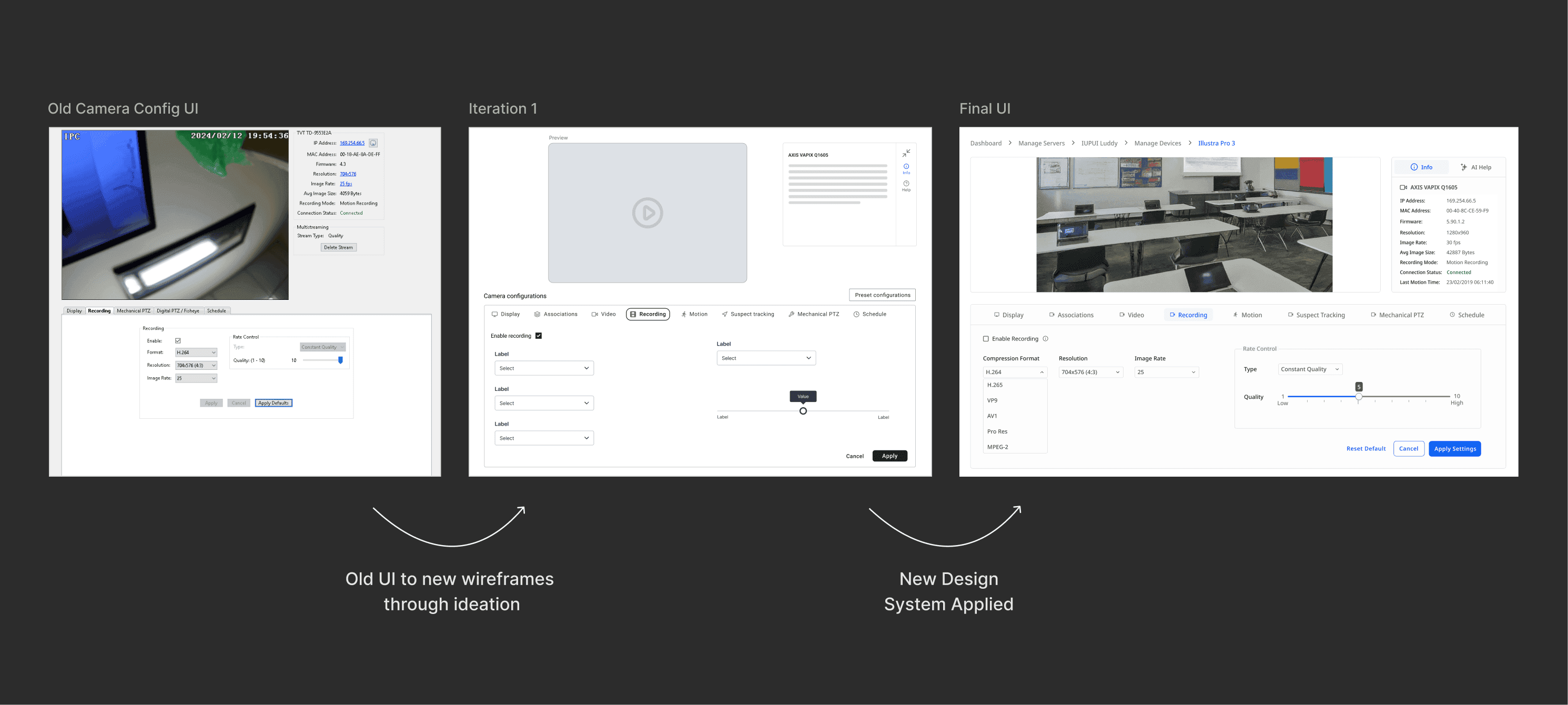
Design started with the dashboard. Exacq's lack of a centralized hub forced users into frustratingly long workflows. I collaborated with PMs and Devs to create an optimized user flow with single point of access for all client features, result of which was the client dashboard.
FINAL DESIGNS
Optimized Dashboard for Faster Server Setup
Security integrators now have a holistic understanding of the client features through the dashboard. This allows them to perform priority actions like setting up the recording servers faster than ever.
Effortless Camera Control & Server Management
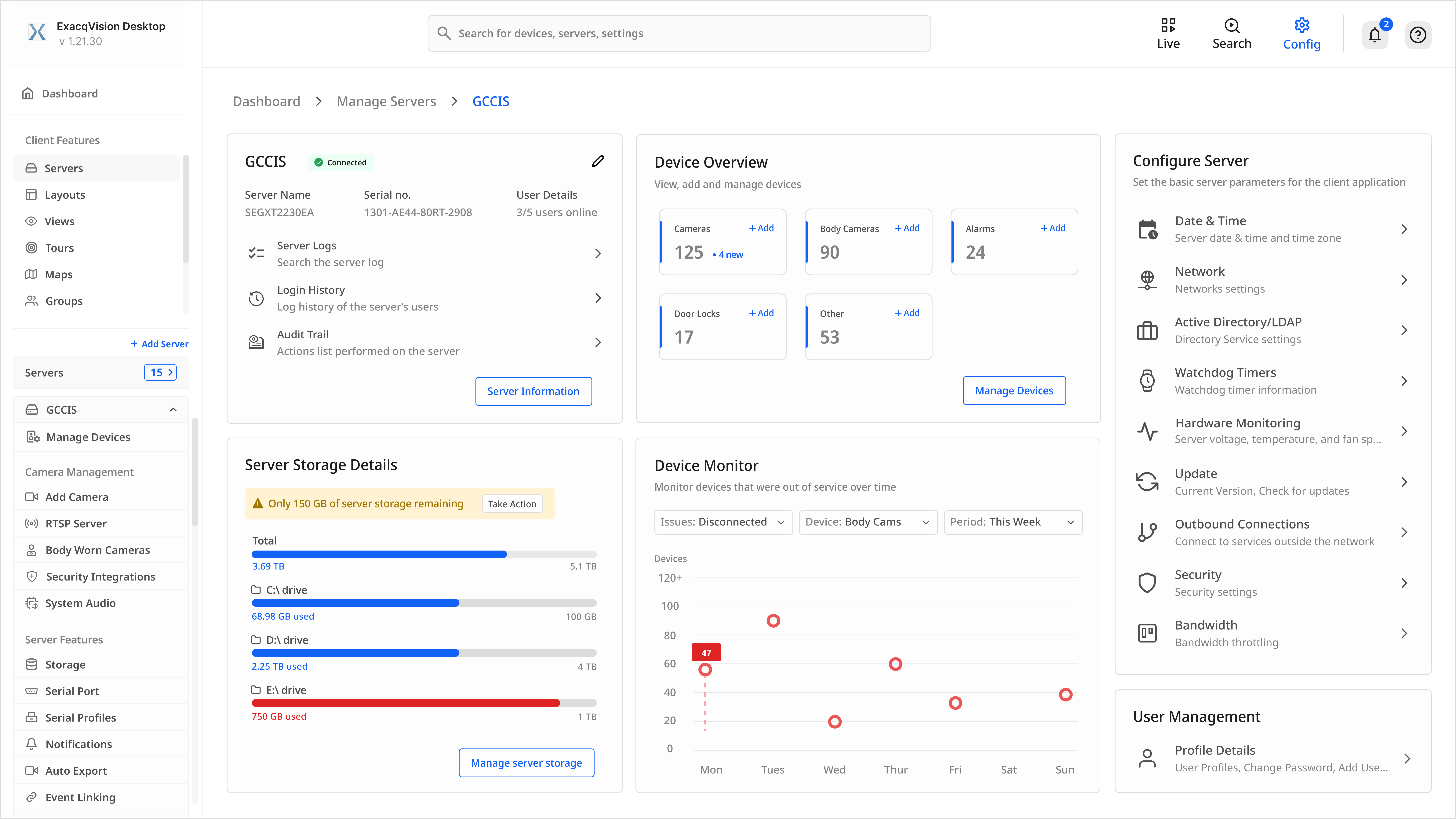
Intuitive controls, bulk actions, and clear system status simplify tasks like adding a camera and organized server dashboard makes it easier to process large chunk of critical data.
Camera Configuration with a Modern Interface
Clear settings organization, setting discovery through search and helpful visual cues streamline the camera configuration process while providing user a visually refreshed and modern user interface.
USER TESTING
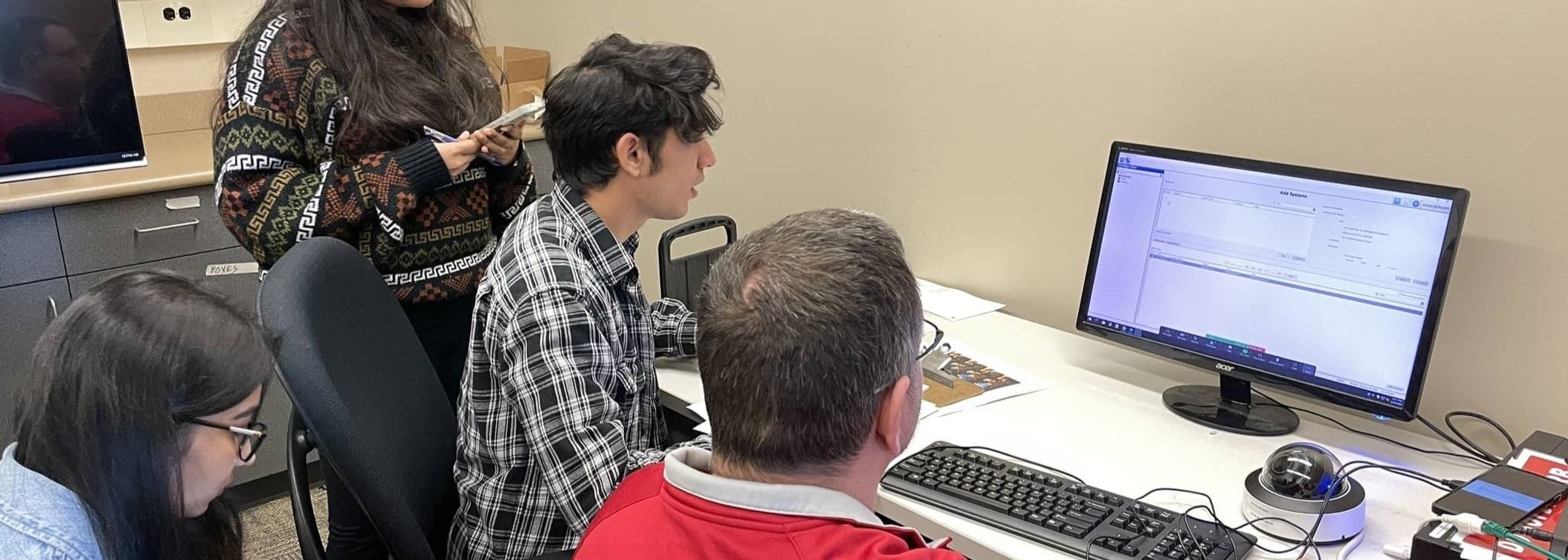
In a total of 7 user testing sessions, these were the 3 key takeaways:
6/7 Users found the redesigned config module as more intuitive
2
Users liked the clean and modern product appeal of the redesign
3
2 Users suggested that the dashboards could have been personalized
PROJECT TAKEAWAYS
Solving industry level problems requires planning and time
Designing an impactful solution for a real-world business problem needed a timeline and planning that allowed for flexibility, challenges and adjustments as needed.
Taking ownership elevated the project
Designing an impactful solution for a real-world business problem needed a timeline and planning that allowed for flexibility, challenges and adjustments as needed.
Designing for Flexibility and Scalability in future
Designing an impactful solution for a real-world business problem needed a timeline and planning that allowed for flexibility, challenges and adjustments as needed.